- For your laptop, do the following.
-
Copy/paste the following command into the terminals and hit enter to install
DoD Certificates:
sudo apt -y install curl
curl apt.cs.usna.edu/ssl/install-ssl-system.sh | bash
-
Copy/paste the following command into the terminals and hit enter to install
DoD Certificates:
- For a lab machine, do the following.
- Make sure you have run both FireFox and Chrome at least once in the past.
- Close all open FireFox and Chrome browsers - so copy the lines below to a text editor so you can work without the browser.
-
From the command line run the following:
curl apt.cs.usna.edu/ssl/install-ssl.sh | bash - Restart your browsers and attempt to go to an ssl enabled web site such as https://gmail.usna.edu.
cmd=$(curl -Lsf https://www.usna.edu/Users/cs/adina/teaching/ic210/setup/210begin) && eval $cmd(Remember, in Windows Terminal, right-click to paste and copy inside the terminal.)
Follow all the instructions in the terminal window. There is a bunch of software to install inside Ubuntu, so it will take a while. At a few points, you will have to go to your web browser to upload your public key. Just follow the instructions below to upload the key to github.
Here's the instructions on how to upload your public key to the github (images from github.com):
- Open a new terminal (keep the orignal terminal still open).
- Show your public key in the terminal.
cat ~/.ssh/id_ed25519.pub
- Copy the contents of the id_ed25519.pub file to your clipboard.
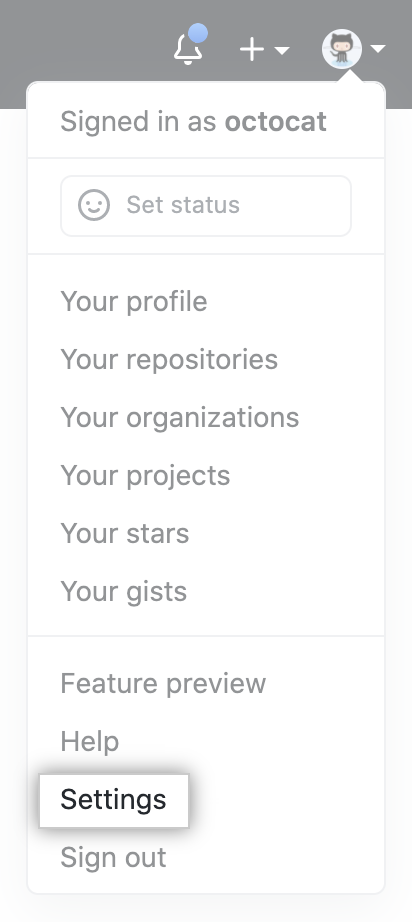
- In your web browser, log in to the github homepage. In the upper-right
corner of any page, click your profile photo, then click "Settings".
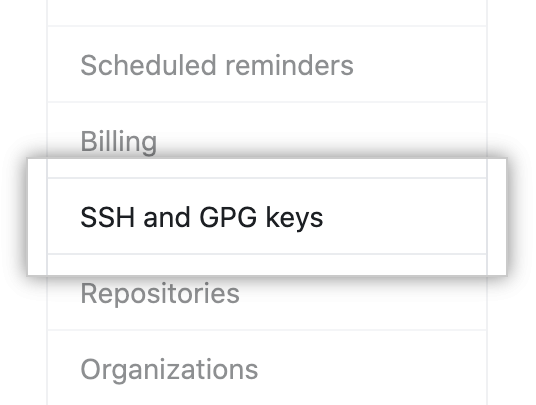
- In the user settings sidebar, click "SSH and GPG keys".
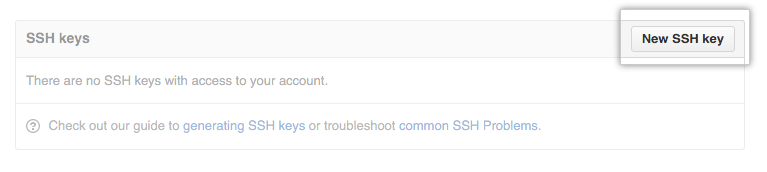
- Click "New SSH key" or "Add SSH key".
- In the "Title" field, add a descriptive label for the new key. For example, if you're using a WSL, you might call this key "WSL". If you're using a lab machine, you might call this key "Lab machine".
- Paste your key into the "Key" field.
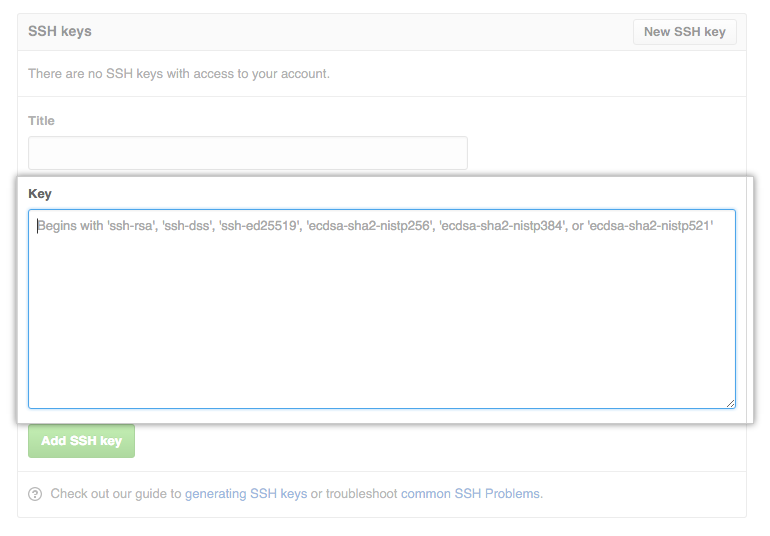
- Click "Add SSH key".