Read Chapter 1 of the online textbook.
Fill out this form about the reading
Write a short program. Below is an empty program to start with. Copy it to a new file named hw1.py in VSCode.
# Greet the user.


# Ask for user input.


# Compute what year they'll be 80.


# Print your output in sentence form.
Fill in the above program so that it asks the user for their name and current age. Calculate when they'll turn 80, and print out that year with their name. Specifically, your program should run exactly like this:
Hello there!
What's your name? Prof Chambers
How old are you? 41
Where are you from? Annapolis
Nice to meet you, Prof Chambers -- I like Annapolis and did you know you'll be 80 in 2061 ?
Your output must exactly match, including spaces.
Submit your solution to our submit server.
VS Code Tip! When you open VS Code, look at the green icon on the very bottom left. It should look like this:

If it does not, click it, and select "New WSL Window" from the pop-up. See our startup instructions for more help.
Using the Submit System
Visit our submit.cs.usna.edu webpage and login with your normal USNA credentials.
Choose the HW on the far right ("hw1-hello") and then Upload Submission as shown here:
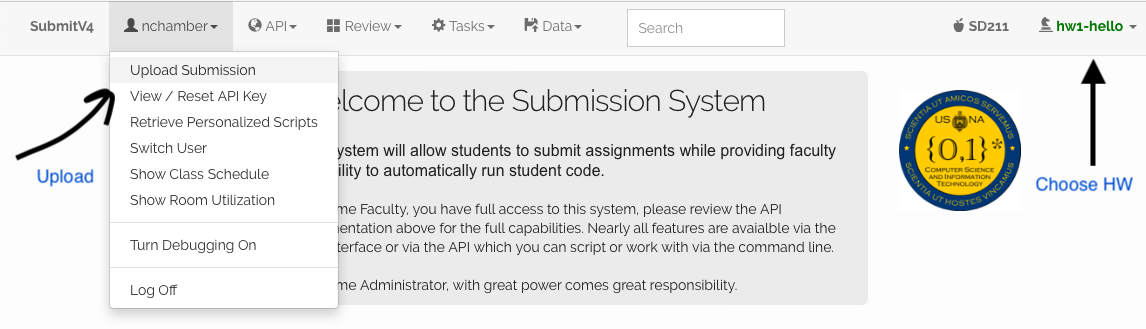
Choose your HW files (in this case, just hw1.py) and upload!
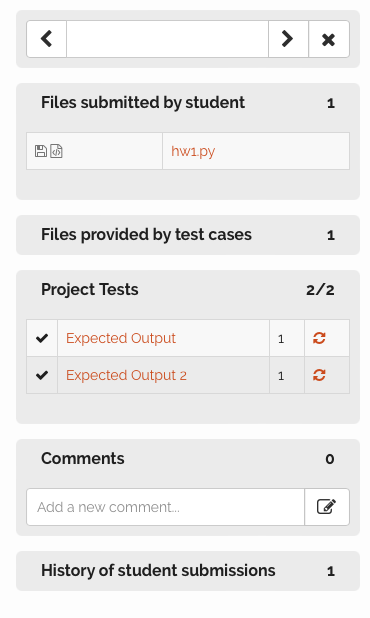
Once uploaded, check your "score" to make sure you pass any default auto-tests. Click Review on the top to see this. You should see 1/1 or 3/3 next to your submission. If you didn't pass all the tests, it will show something like 0/1 or 2/3. Click on your assignment's upload link to see which tests you failed. You can then click the words "Project Tests" to see the individual tests: