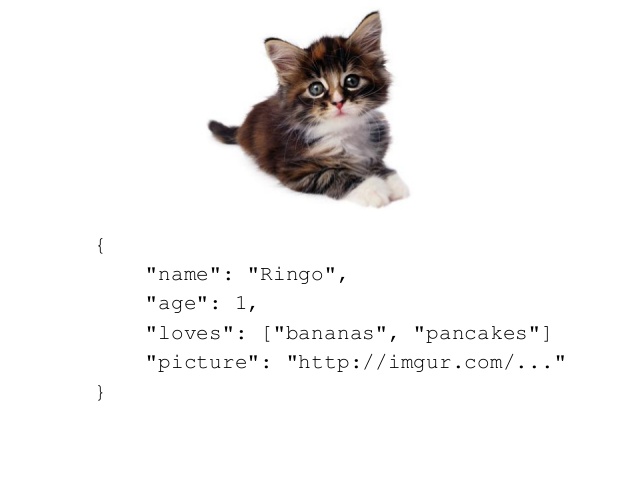
JSON (JavaScript Object Notation) is one of the most popular formats used to transfer data between websites and programs. It's a human-readable format, yet structured in a familiar style that you'll recognize ... it's essentially a mix of dictionaries and lists! You will find data files with .json extensions, and you will find websites that return JSON strings. Today we'll discuss how to process these.
Today's reading is this nice in-depth overview of JSON.
JSON at its top-level is a dictionary of attribute/value pairs, or key/value pairs as we've talked about dictionaries in this class. The values are numbers, strings, other dictionaries, and lists. Here is a simple example with just 4 attribute/value pairs.
  {
    "userId": 1,
    "id": 11,
    "title": "Heart of Darkness",
    "author": "Conrad"
  }
It's just a dictionary! See? You'd read this format from a file, or a website might return this as one big string. All we need to do is use Python's handy-dandy json library to parse the JSON string into Python data types. The above simple example would just be converted to a dictionary like you're now used to. Here is an example that's a bit more complicated:
{
    "queryResults": {
      "created": "2017-12-12T01:43:07",
      "totalSize": "2",
      "row": [
        {
          "season_state": "offseason",
          "hitting_season": "2014",
          "sport_full": "Major League Baseball",
          "org": "Red Sox",
          "sport_code": "mlb",
          "org_short": "Boston",
          "jersey_number": "52",
          "end_date": "2014-12-09T00:00:00",
          "team_brief": "Red Sox",
          "forty_man_sw": "Y",
          "sport_id": "1",
          "league_short": "American",
          "org_full": "Boston Red Sox",
          "status_code": "A",
          "league_full": "American League",
          "primary_position": "LF",
          "team_abbrev": "BOS",
          "status": "Active",
        },
        {
          "season_state": "offseason",
          "hitting_season": "2014",
          "sport_full": "Major League Baseball",
          "org": "Athletics",
          "sport_code": "mlb",
          "org_short": "Oakland",
          "jersey_number": "52",
          "end_date": "2014-07-30T00:00:00",
          "team_brief": "Athletics",
          "forty_man_sw": "N",
          "sport_id": "1",
          "league_short": "American",
          "org_full": "Oakland Athletics",
          "status_code": "TR",
          "league_full": "American League",
          "primary_position": "LF",
          "team_abbrev": "OAK",
          "status": "Traded",
        }
              ]
     }
    }
Take a look at this bigger example. This is data that was returned from querying an online database for baseball stats. The first part of the JSON string is a "queryResults" key in the dictionary. You can see it then contains a 'created' time and a 'totalSize' -- which is how many results were returned! The next part is "row" which is a List of size 2 -- totalSize is the length of this list.
Let's process the above example!
import json

# Read the json_string variable from some source
json_string = ...

d = json.loads(json_string)   # the json_string is converted into a regular Dictionary

results = d['queryResults']   # another dictionary (look at the JSON above, look for 'queryResults' at the top
size = results['totalSize']   # an int!
rows = results['rows']        # a list!

for row in rows:
   print(row['org_full'], 'status is', row['status'])
See how this works? You convert a JSON string into a dictionary with json.loads(str). After that, you're back into the normal Python world, and you use the dictionary keys that match the JSON attribute names. These will contain the other values you need. Often times you will navigate multiple dictionaries as you go deeper into the data.
What if the JSON is in a file and not yet a string? This is the more common case, and it's just as easy:
import json

with open('yourfile.json') as fh:  # normal file open
  d = json.load(fh)

# same as above ...
We can also write out in JSON. Any Dictionary you have can generally be put into JSON format. This shouldn't be a surprise because JSON is the same shorthand format as Python's dictionaries and lists.
import json

d = { 'Chambers':90, 'Roche':83, 'Choi':92, 'Brown':73 }
js = json.dumps(d)
print(js)    # output: {"Chambers": 90, "Roche": 83, "Choi": 92, "Brown": 73}

# Write it to a file:
with open('mydata.json', 'w') as fo:
    fo.write(js)
Hopefully you can see that reading the JSON format is just a one-liner. You convert from a JSON string to a dictionary with json.loads(str) (or load from a file handle json.load(fh)). The real challenge is for you to write code that navigates all of the nested dictionaries and lists. You will have dictionaries which contain dictionaries which contain lists. The concept is not new to you per se, but handling the nested nature of JSON will require you to think a little more deeply before programming your solutions.
Here is a data file of JSON baseball statistics from MLB.com.
# This loads a JSON of all the teams that played in the 2019 season.
# It prints out the team name and home park.
import json

# Load the JSON from file and store in a dictionary.
with open('mlb.json') as fh:
    data = json.load(fh)

# Drill down the dictionary to the "row" key which has the List of results
data = data['team_all_season']
data = data['queryResults']
size = data['totalSize']
rows = data['row']

# Loop over the list and print the fields we want!
for row in rows:
    if row['venue_short'] != '':
        print(row['name_display_long'], 'at', row['venue_short'])
Try this one out, copy and run it! Instead of getting the JSON from a file, this is the same program, but it retrieves the data directly from the MLB.com live website. It prints all the MLB teams and their stadium names:
import json

# Instead of from file, you could make a Web query to retrieve the JSON directly:
import requests
r = requests.get(url="http://lookup-service-prod.mlb.com/json/named.team_all_season.bam?sport_code=%27mlb%27&sort_order=name_asc&season=2019")
data = r.json()

# Drill down the dictionary to the "row" key which has the List of results
data = data['team_all_season']
data = data['queryResults']
size = data['totalSize']
rows = data['row']

# Loop over the list and print the fields we want!
for row in rows:
    if row['venue_short'] != '':
        print(row['name_display_long'], 'at', row['venue_short'])