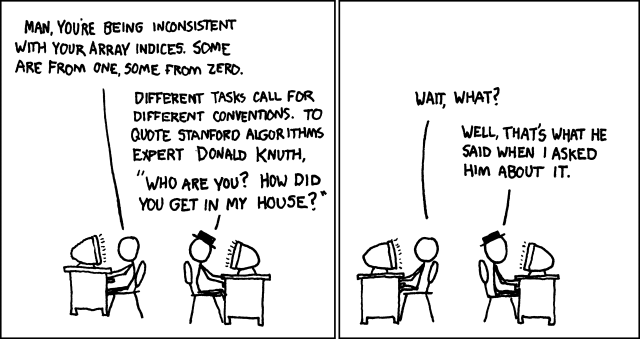
 http://xkcd.com/163/
~/$ ./prog
Chris Brown
Brown, Chris
... where the red text is user input. This should be no problem, something like this will do:
string first, last;
cin >> first >> last;
cout << last << ", " << first << endl;
Now let's make things more difficult: Suppose I also want to capitalize all the letters in the names. No matter how hard you work with what we've learned of C++, there's no way you can write this program! You can capitalize, you can switch first and last names, you just can't do both together. The problem is that you need to access the characters within the strings
first and
last, and you need to know how many characters are in
the strings.
The "how many characters are in the strings" part is easy. It
turns out that whenever you have an object of type string you
can put a .length() at the end of it and the
resulting expression returns the length of the string. So, from
the previous code I could ask for first.length()
and (with first name "Chris") the result would be 5.
As you might suspect, it is also possible to reference
characters within a string - not by specific names, but by
indices. So the initial character of the string
first, for example, has index 0. To reference it,
say for printing, you write first[0], which we
usually read as "first zub zero". Characters within a string
are thus indexed from zero up to one less than the length of the
string, like this:
| C | h | r | i | s |
| 0 | 1 | 2 | 3 | 4 |
first is printed in capitals:
for(int i = 0; i < first.length(); i++)
  if ('a' <= first[i] && first[i] <= 'z')
    cout << char(first[i] - ('a' - 'A'));
  else
    cout << first[i];
In fact, it might be kind of nice to make a function to do the
printing in capitals for us, and produce a
program like this.
char. In coming
lectures, you'll see that we can have arrays of any type of object
we choose.
Arrays allow us to store and compute with large amounts of
information in programs without needing separate variable names
for each object we store. In the past example, a single
variable name first stood for as many
char objects as needed.
The key behind this indexing with strings, is that the
expression first[i] is an object of type
char.
(In particular, it is an lvalue of type char, meaning
that it can, among other things, appear on the left-hand side of
an assignment.)
You don't need any special rules to tell you
what you can and can't do with an expression like first[i],
because anything you can do with a char you can do
with it.
Important! The first item in the array is at
index 0. Don't use a
negative number for an index, and don't use a number that is
greater than or equal to the length of the string! There
aren't any characters there to index!
string s;
cin >> s;

for(int i = 0; i < s.length(); i++)
  if ('a' <= s[i] && s[i] <= 'z')
    s[i] = s[i] - ('a' - 'A');

cout << s << endl;
You say "How do I know I can assign a value to s[i]
like that?" Well, s[i] is an lvalue of
type char like
any other so, you can assign to it just like you assign to any
char variable!
string
	  s
and a
char c, and tests whether or not c
appears in s.