- Use a terminal. cd to the directory that contains your cpp file.
- In the terminal, use codeprint to create out.pdf
codeprint hw.cpp
- In the terminal, use ls to see if out.pdf exists.
ls
Note out.pdf must exist. - Launch a file viewer as below (Applications -- Accessories -- Files)
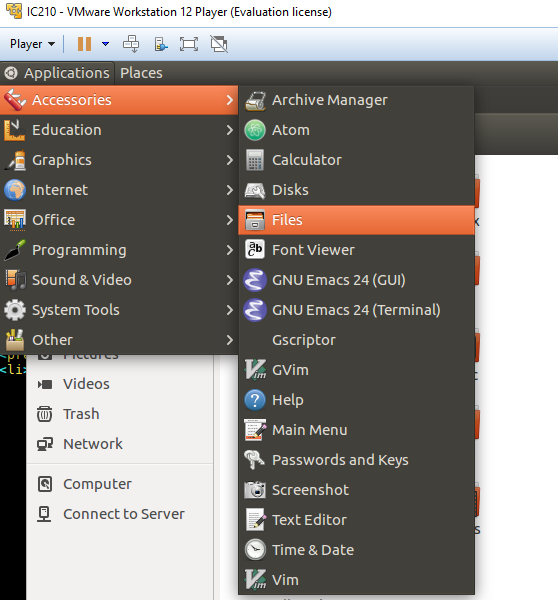
With the file viewer, navigate to the directory and double-click out.pdf to see if it is correctly created.
- Method 1:
- In the terminal, use csunixmount to connect to CS Department filesystem and copy out.pdf under ~/csunix
csunixmount
cp out.pdf ~/csunix
csunixunmount
Note: The terminal should be in the directory that contains out.pdf. - In Windows, use WinSCP to connect to CS Department filesystem. See lecture 2 (in the end).
- In WinSCP, download out.pdf to your Windows.
- In the terminal, use csunixmount to connect to CS Department filesystem and copy out.pdf under ~/csunix
- Method 2:
In VM, open your web browser and send an email (with out.pdf attached) to yourself.
- Method 3:
Sometimes, you can drag out.pdf and drop it in Windows. However, this may not always work for some VM players.